
预览
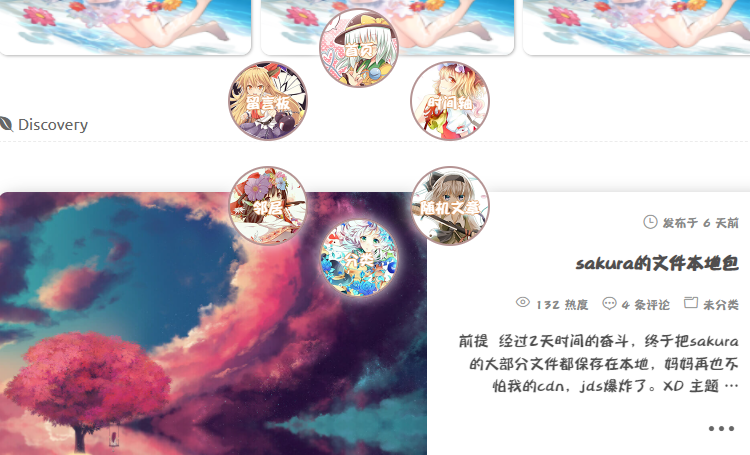
首先
- 打开网址下载文件包,然后上传到服务器上。https://gitee.com/flurrychan/acggg/blob/master/123.rar
本人整包上传地址为/wp-content/themes/Sakura/ - 如跟随上传地址,则修改打开的链接跟文字即可。否则需要修改 文件链接地址。
- 复制下面代码,
<head>
<link rel="stylesheet" type="text/css" href="/wp-content/themes/Sakura/123/css/normalize.css" /> ## 需要绝对地址链接
<link rel="stylesheet" href="/wp-content/themes/Sakura/123/css/AshenMenu.css" /> ## 需要绝对地址链接
<div class="AshenMenu AshenDropDown">
<div class="circle" id="gal">
<div class="ring">
<a href="https://hexo.cf/" title="" class="menuItem">首页</a> ##根据自己网站需要修改网址文字
<a href="https://hexo.cf/archives/" title="" class="menuItem">时间轴</a> ##根据自己网站需要修改网址文字
<a href="https://hexo.cf/random/" title="" class="menuItem">随机文章</a> ##根据自己网站需要修改网址文字
<a href="https://hexo.cf/categories/" title="" class="menuItem">分类</a> ##根据自己网站需要修改网址文字
<a href="https://hexo.cf/link/" title="" class="menuItem">邻居</a> ##根据自己网站需要修改网址文字
<a href="https://hexo.cf/comments/" title="" class="menuItem">留言板</a></div> ##根据自己网站需要修改网址文字
<audio id="audio" src="/wp-content/themes/Sakura/123/AUDIOS/hovertreeright.mp3"></audio> ## 需要绝对地址链接
</div>
</div>
<script type="text/javascript">var items = document.querySelectorAll('.menuItem');
for (var i = 0,
l = items.length; i < l; i++) {
items[i].style.left = (50 - 35 * Math.cos( - 0.5 * Math.PI - 2 * (1 / l) * i * Math.PI)).toFixed(4) + "%";
items[i].style.top = (50 + 35 * Math.sin( - 0.5 * Math.PI - 2 * (1 / l) * i * Math.PI)).toFixed(4) + "%"
}</script>
<div>
</div>
<script type="text/javascript">
</script>
<script type="text/javascript">
$(document).ready(function() {
$('body').AshenMenu({
'menu': 'AshenDropDown'
})
});
</script>
</head>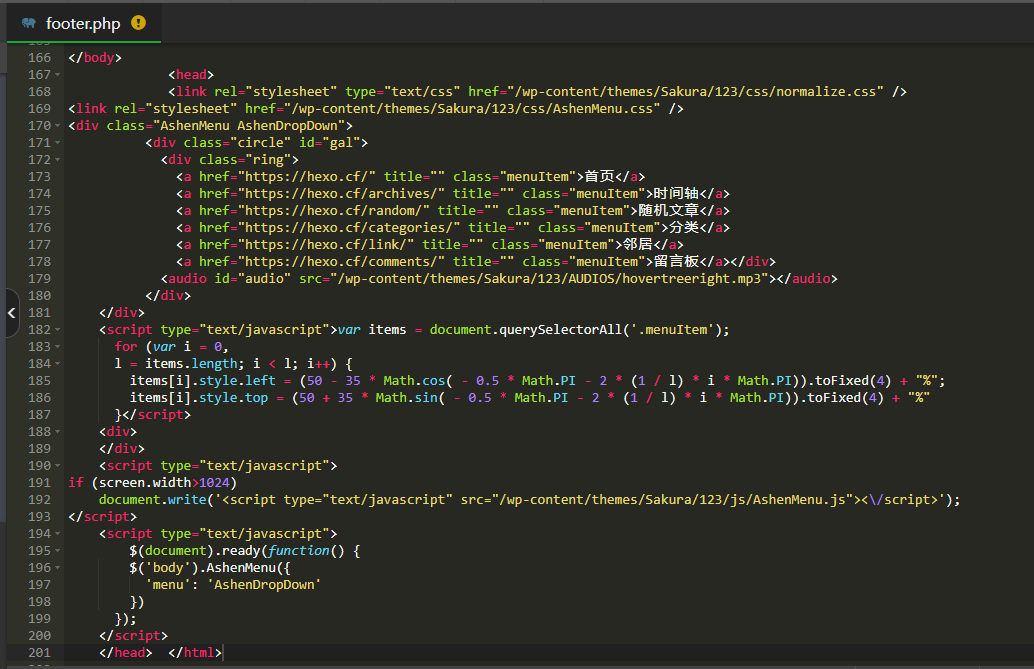
放置在 主题目录下的footer.php 文件最底的</body> 下 ,保存后刷新即可。 又多了一个玩物 XD适配主题
- 本玩物 基本上适配所有wordpress 主题 。
- 有错也别找我..XD
其实这次这个玩物也是其他大神所提供…感谢 By Your Side 提供!
相关推荐






评论